
Under the microscope: Command & Conquer (Nintendo 64)
N64 Command & Conquer's Super Debug Mode
In this edition, we’re examining the Nintendo 64 version of Command & Conquer. This port of the 1995 PC game was handled by Looking Glass Studios (under the supervision of Westwood Studios).
There’s a well-known Debug mode cheat for this game. It works like this:
Enter B, A, R, R, A, C-Right, Up, Down, A (BARRACUDA) at the title screen.
On the Replay Mission screen, press L to access any mission.
During gameplay, press L+R to display positioning information onscreen.
To clear the current mission, press L+R+Up. To fail it, press L+R+Down.
But I found a code that’s even better! Details on how it works are below.
Super debug mode
Let’s start with the new code. At the title screen, enter this sequence: Up, Up, Up, Left, Up, B, A, B, Up, C-Up, C-Down, Down.
Nothing will happen at first. But if you do soft reset, you’ll be presented with this screen:
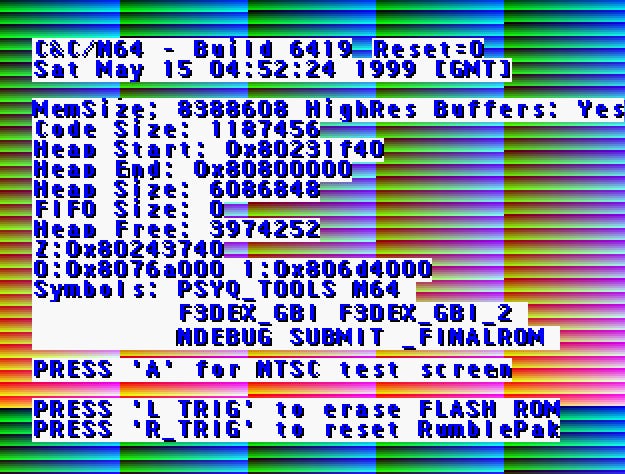
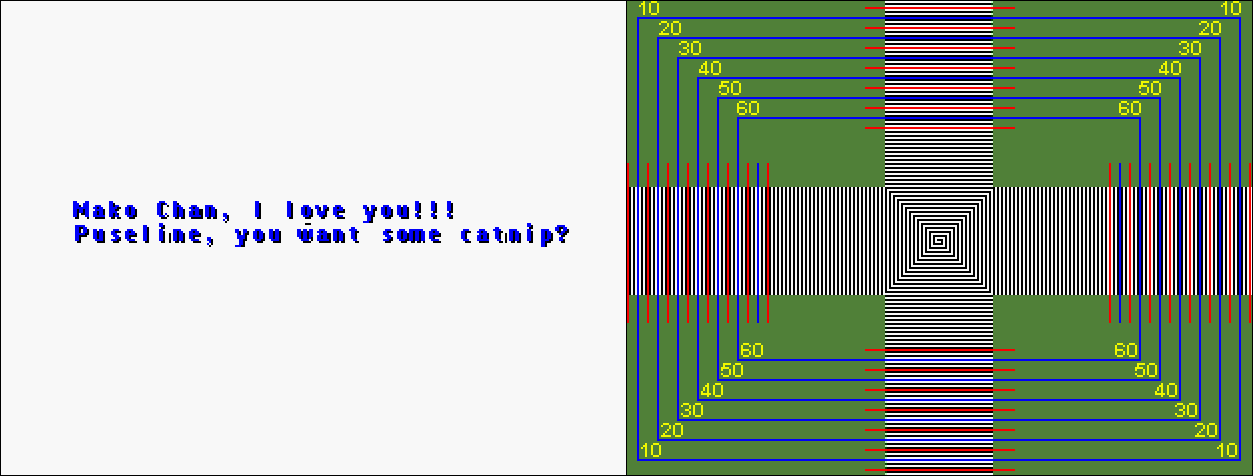
Press L to see a message that seems to be about a cat:
Mako Chan, I love you!!! Puseline, you want some catnip?
And press A to see the NTSC Test Screen.
Press Start to begin the game with more debug controls enabled. You can hold L on the title screen and press Right to increase the debug level (press L+Left to decrease it).
The BARRACUDA code is debug level 1, so all of its controls can be enabled with this new code.
At debug levels 3 and above, the current level is displayed in the top-left corner. Furthermore, the restrictions on zooming in and out are lifted - hold L+C-Up / L+C-Down to zoom way in or way out.
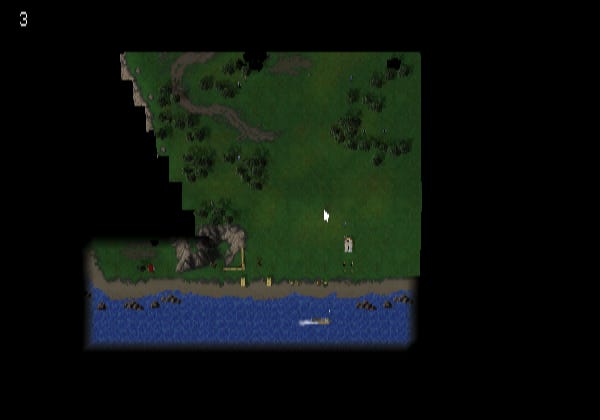
Above debug level 3, you get new controls. Press L+C-Left to shrink soldiers, vehicles, and buildings. L+C-Right makes them grow larger.
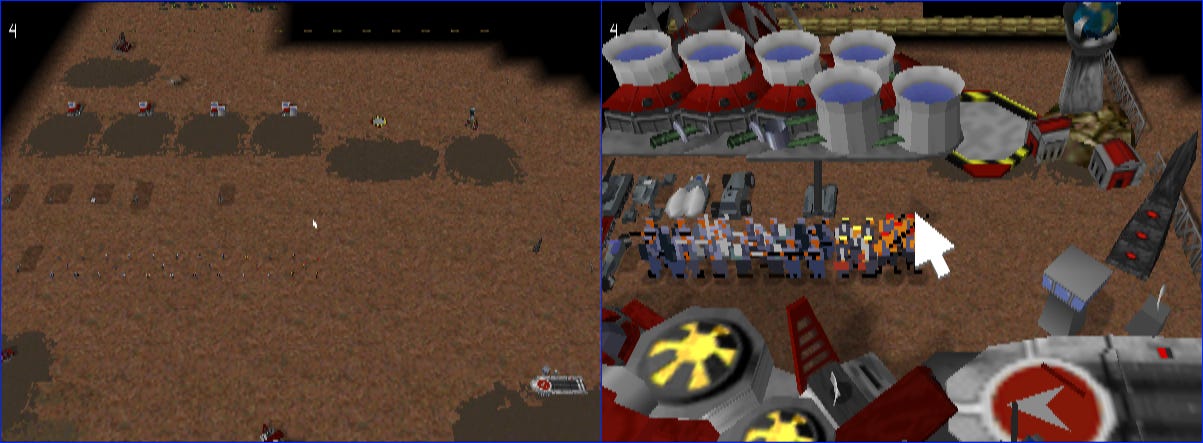
You can also press L+Z to display detailed rendering information onscreen:
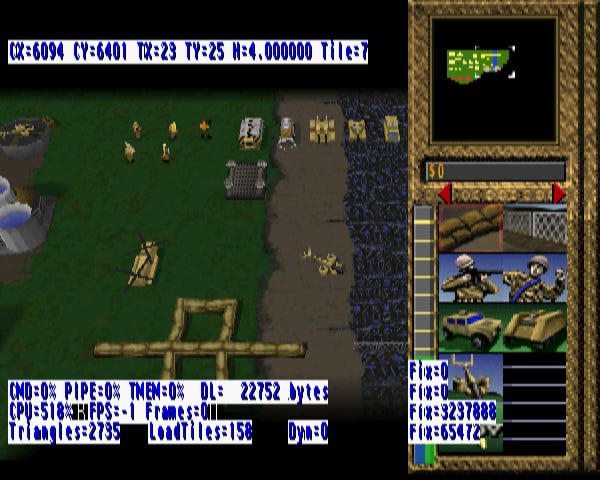
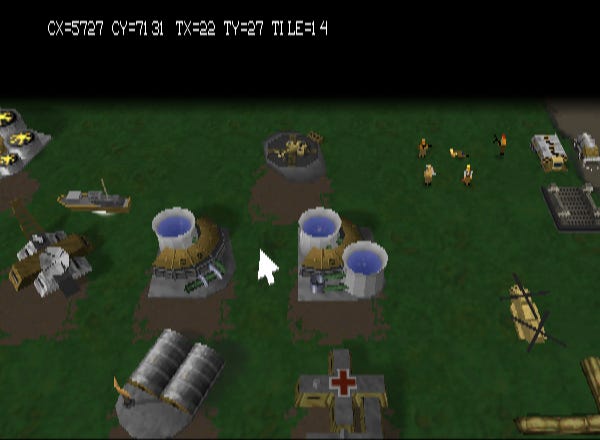
Above debug level 6, terrain doesn’t get rendered.
Reverse engineering the cheat codes
I found this code while trying to understand how the BARRACUDA code works.
My usual input tracing technique led me to the function at 8000742c, which handles player button presses for the title screen. Here’s part of Ghidra’s decompilation of that function (with my variable names added):
    index = 0;
    history_0_ = &button_history_8009000c;
    history_1_ = &button_history_80090010;
    do {
      if (index < 8) {
        *history_0_ = *history_1_;
      }
      else {
        *history_0_ = p1_pressed_8011e678;
      }
      button = *history_0_;
      history_0_ = history_0_ + 1;
      index = index + 1;
      hash = hash * 0x7b3 + (hash >> 3) + button * 0x15;
      history_1_ = history_1_ + 1;
    } while (index < 9);
This is doing something pretty standard: writing a history of player inputs to a circular buffer. But it’s also computing a hash from the contents of that buffer. That’s less common, but not unheard of.
The computed hash gets compared to this value: 0xd682064f. If there’s a match, a value of 1 gets written to memory address 8008fb18. This enables the debug controls above.
Here is a Python re-implementation of the hashing logic:
BUTTONS = {
    "C-Right": 0x1, "C-Left": 0x2, "C-Down": 0x4, "C-Up": 0x8,
    "R": 0x10, "L": 0x20,
    "Right": 0x100, "Left": 0x200, "Down": 0x400, "Up": 0x800,
    "Z": 0x2000, "B": 0x4000, "A": 0x8000,
}

def hash_sequence(sequence):
    ret = 0
    for button_name in sequence:
        ret = ((ret * 0x7b3) + (ret >> 3) + (BUTTONS[button_name] * 0x15)) & 0xffffffff

    return ret
Using this, we can validate that the BARRACUDA code matches the target hash:
>>> hex(hash_sequence(['B', 'A', 'R', 'R', 'A', 'C-Right', 'Up', 'Down', 'A']))
'0xd682064f'
The function above isn’t just checking for the BARRACUDA code’s hash; it’s also looking for two more:
12 buttons:
0x7b336819 buttons:
0x2392c4be
Can we derive the buttons sequence from these hashes? Answer: yes! We saw something similar when we examined Medal of Honor: Underground and Medal of Honor: Rising Sun. Like the hashes in those games, Command & Conquer’s hash is computed incrementally. Each button value updates it like this:
def update_hash(old_val, button_val):
    return ((old_val * 0x7b3) + (old_val >> 3) + (button_val * 0x15)) & 0xfffffff
But unlike Medal of Honor hashes, this game’s hash update function isn’t reversible: the >> operation destroys information - the three bits that get shifted are lost. So given a new hash value and a button value, we can’t determine the original hash value.
However, we can guess what it was. This function just yields every possibility for the missing three bits:
def yield_undo_candidates(val, button_val):
    # Hand-waving a bit, pretend this is continuous math:
    # new_val = (old_val * 0x7b3) + (old_val / 8) + (button_val * 0x15)
    # 8 * (new_val - (button_val * 0x15)) = old_val * (8 * 0x7b3 + 1)
    # old_val = 8 * (new_val - (button_val * 0x15)) / (8 * 0x7b3 + 1)
    # We can't really divide when we're working modulo 2^32.
    # So we multiply by the inverse, which is 0xe3abc6a9, instead.
    # Finally, we have to put back our guess for the bits we lost when shifting.
    for guess in range(8):
        old_val = (val - (guess * 0x7b3) - (button_val * 0x15)) & 0xffffffff
        old_val = (old_val * 0xe3abc6a9) & 0xffffffff
        if old_val <= 0x1fffffff:
            yield (8 * old_val) | guess
With an “update” function and an “undo” function in hand, we can mount a meet-in-the-middle attack:
Generate all of the sequences with half the target length.
Loop through all of these sequences and compute their hashes with the update function.
Loop through all of the sequences again. Apply the undo function to the buttons that make up each one.
If, after all of the undos, we have one of the hashes from the first loop, we’ve got a match.
I adapted the scripts I used for the Medal of Honor games to produce this one.
Always-on sidebar
We’ve already seen the code for the Super debug cheat. But what about the other hash? My script emits this sequence A, Down, Up, C-Left, A, R, R, A, B.
It’s BARRACUDA, but backward!
As far as I can tell, the effect is pretty lame. After entering it, the construction sidebar - the one that normally appears when you press Z - becomes “always on.” That is, you can’t dismiss it by pressing Z again.
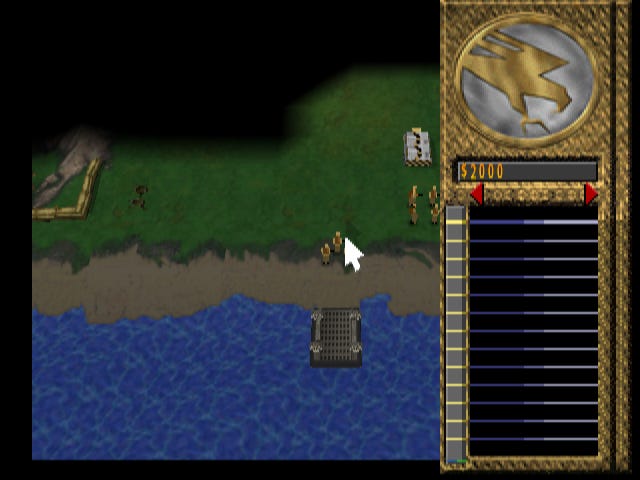
I have no idea why you would want this. I presume it was part of some other functionality that got removed. If you have an idea of what that might have been, please enlighten me in the comments.
Outro
For more on the on Command & Conquer, see my earlier article on the Saturn version.
I publish articles about retro game reverse engineering every week. To get the newest one as soon as it’s published, subscribe here on Substack:
Great stuff in this post! It's pretty amazing how modern tools like Ghidra let us peek behind the veil of some classic games.
Great stuff Bo!
I don't know why, but I'm fascinated by PC games that were ported to consoles, like this and SimCity being another example.