
Under the microscope: Command & Conquer: Red Alert: Retaliation (PlayStation)
Using the PlayStation mouse for fun and profit
In the recent article on Command & Conquer: Red Alert, I said:
The second rule of retro game data mining is this: if a game presents you with a text box, put something distinctive into it.
Following that rule was key to discovering a cool hidden feature in that game. But for the follow-up game, Command & Conquer: Red Alert: Retaliation, we’ll need to follow a different rule:
The first rule of retro game data mining is: figure out where controller input is stored in memory.
Actually, we’ll have to modify it a bit. Details are below…
Controller tricks
The easiest way to find where controller input is stored is to take snapshots of emulator memory before and after holding down a button. By looking at where they differ, you can isolate the addresses that are affected by button presses. I use RALibretro’s Memory Inspector for this.
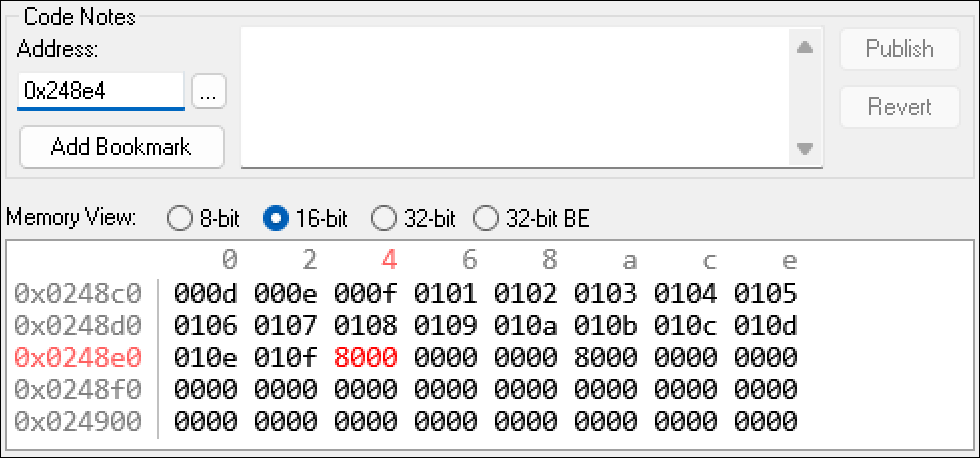
That process reveals these addresses:
800248e4: Stores which buttons are currently being held down on Controller 1.800248e6: Stores (for one frame) which buttons were just pressed on Controller 1.800248ec: The “held down” buttons for Controller 2.800248ee: The “just pressed” buttons for Controller 2.
Setting read breakpoints for those addresses reveals which code responds to controller input. For this game, the function at 80012f10 handles input for the main menu.
Labeling the addresses above lets us identify interesting elements in Ghidra’s decompilation of that function. This bit stood out to me:
      if (iVar6 == 0) {
        if (p1_held_800248e4 == 0x910) {
          iVar6 = 900;
        }
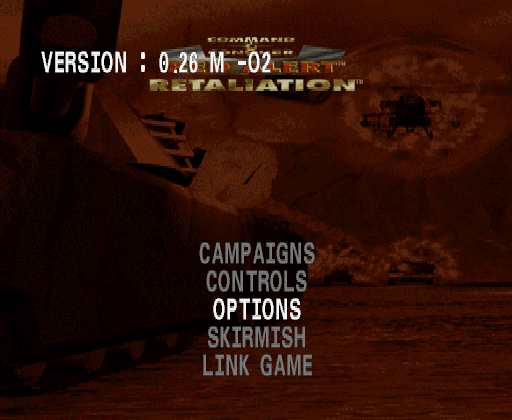
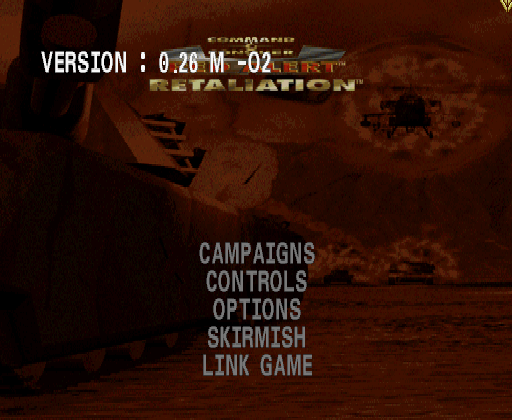
I don’t know what iVar6 is, but I don’t need to - what’s interesting is that this code is checking to see whether multiple buttons are being held down. 0x910 is the logical OR of the hex patterns for Start (0x800), Select (0x100), and Triangle (0x10). Hold those down, and…
A version string appears! This Easter egg is undocumented, as far as I know.
There’s another check in the same function for Up+Square+Triangle. Hold those buttons, and… the staff credits begin playing! This also seems to be new.
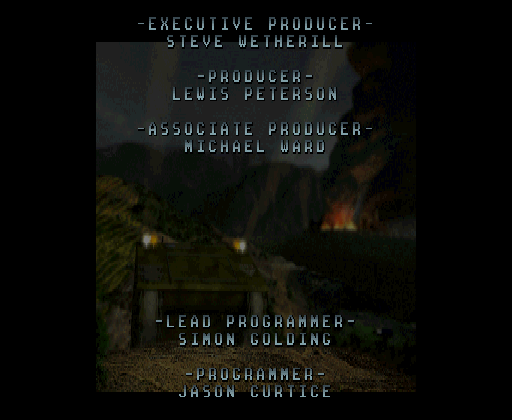
Setting read breakpoints for the input addresses on this screen reveals something interesting: it’s listening for button presses from Controller 2. Ghidra’s decompilation of the function at 80011f14 reveals a classic “cheat code” handler:
Read the “just pressed” button.
Compare it to a sequence of values, indexed by a counter.
If there’s a matching button press, advance the counter. If there isn’t, reset it.
Here the sequence is just two buttons, both entered with Controller 2: Triangle, Square. Press those, and… alternate set of credits starts scrolling!
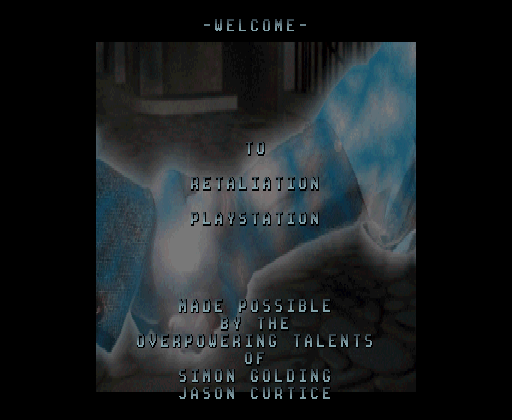
These attribute the game to the “Overpowering talents of Simon Golding and Jason Curtice.” These two programmers go on to thank their families and friends and drop various inside jokes.
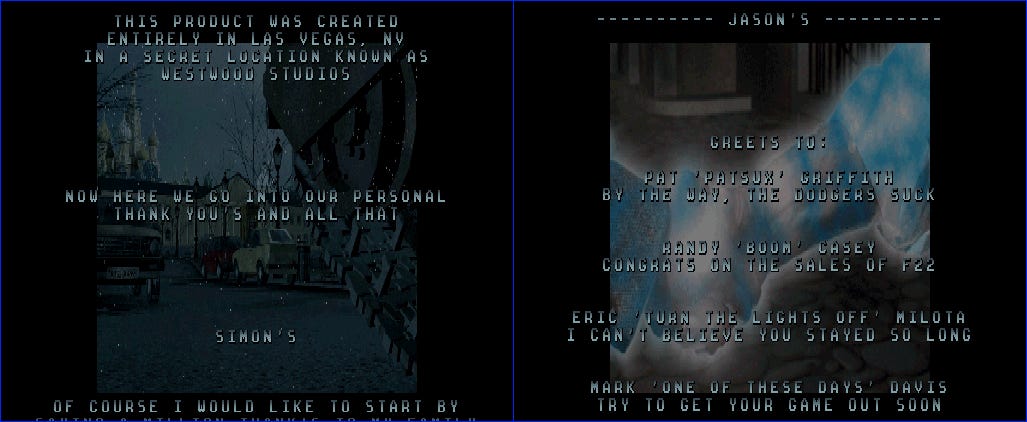
This seems like yet another previously-unknown Easter egg. Not a bad haul!
Mouse tricks
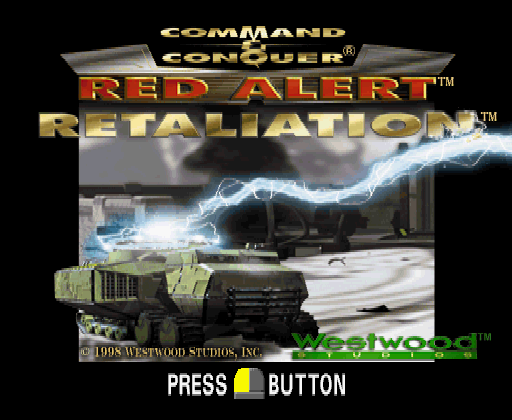
The PlayStationLibrary.com entry for this game shows that it advertises support for the PlayStation mouse. Plug one in, and you’ll get special graphics showing you how to use it onscreen.
The main menu’s input handling function that we examined above looks for mouse-specific input in addition to controller-specific input. Just above the check for controller input 0x910 is this logic:
      in_rectangle = check_cursor_in_rectangle_8001bbb0(506,0,8,8);
      if ((in_rectangle  != 0) && ((mouse_button_pressed_800248fb & 0x4) != 0)) {
        iVar6 = 900;
I’ve labeled the function at 8001bbb0 as check_cursor_in_rectangle. It takes in four arguments: an X position, a Y position, a rectangle width, and a rectangle height. It reads the mouse’s position and then checks whether it’s inside the rectangle defined by those arguments.
X=506 is basically all the way to the right side of the screen. Y=0 corresponds to the top. The right mouse button is represented by hex value 0x4. So if we right-click in the top-right corner of the screen… the version string appears again!
There’s a similar check for the top-left corner of the screen. This one requires you to press both mouse buttons. Do so, and the staff credits roll. So you can activate the main menu Easter eggs with either control scheme.
There’s no mouse equivalent of the “special credits” button sequence described above. But there is a mouse-exclusive Easter egg:
On the Campaigns screen, you normally can’t select England until you’ve maxed out your rank.
But if you place the cursor underneath the Exit item and press both mouse buttons, then it unlocks.
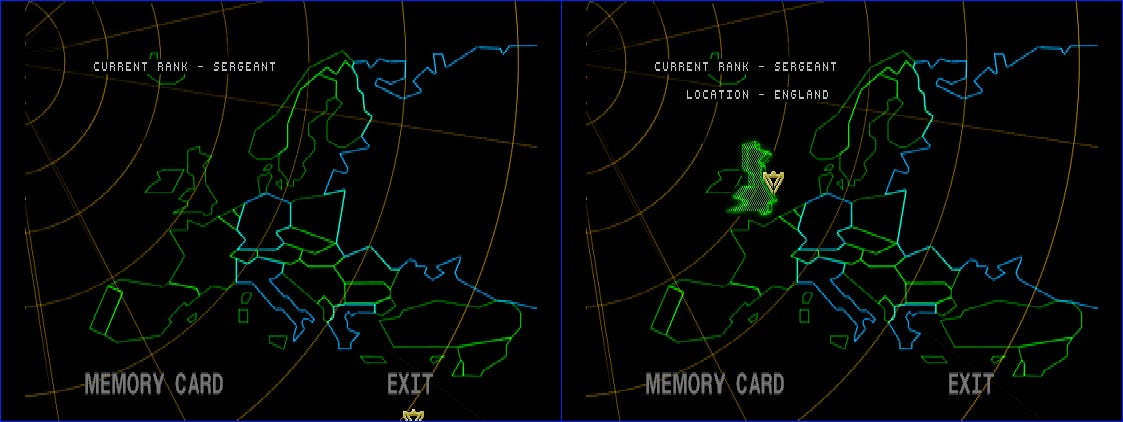
This works on both discs.
The lesson of this section is: don’t just look for controller input; look for all types of input. I’ll have to update rule 1.
Outro
Thanks for reading - I’ll be back with more retro game reverse engineering articles soon. For more on the Command & Conquer series, see my articles on Tiberian Dawn and Red Alert.
P.S. I have an article in the latest Paged Out! zine. It’s on Medal of Honor: Underground for PlayStation. Check it out here!
Great teardown! 👍🏻