Under the microscope: Dragon Force II (Saturn)
The godforsaken land
The original Dragon Force was very well-received in the West. It sold a bunch of copies and was praised by critics. But the sequel, published in 1998 in Japan, wasn’t among the handful of titles released that year for Saturn in other regions.
I noticed a while back that Dragon Force II has some debug screens. I was able to make them show up by manipulating the game’s memory, but I didn’t see any way to access them from within the game at the time.
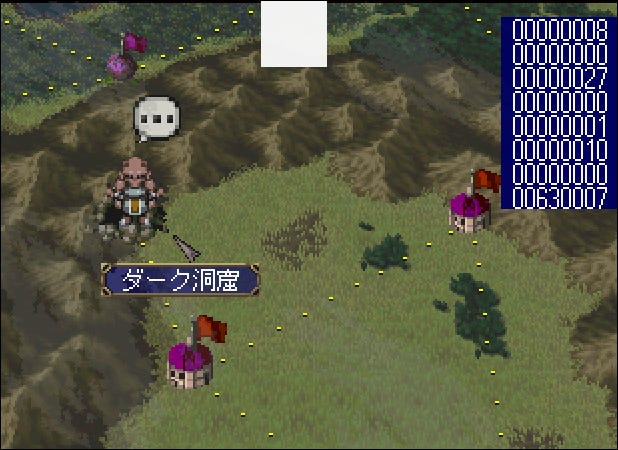
I took another look, and this time I was able to figure it out – this game has cheat codes:
One unlocks the picture gallery.
Another shows the game credits for a chosen character.
A third enables the debug screens that I found earlier.
These seem to have gone unnoticed since 1998! Below are the details on how they work.
The picture gallery
All of this game’s cheats are entered on the Option screen. For the first one:
Set the Movies item to 08.
Highlight Voice and press A+C+L+X.
Highlight Sound and press A+C+R+Z.
Press B+X+Z.
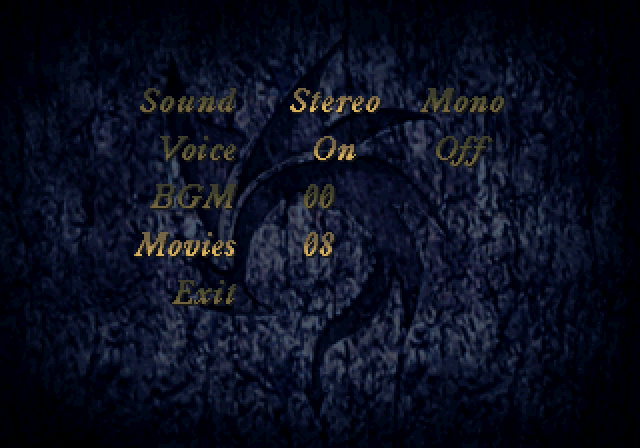
If you got it right, you’ll be taken out of the Option screen. When you return to it, you’ll see a new CG item. From there you can browse scenes from the game:
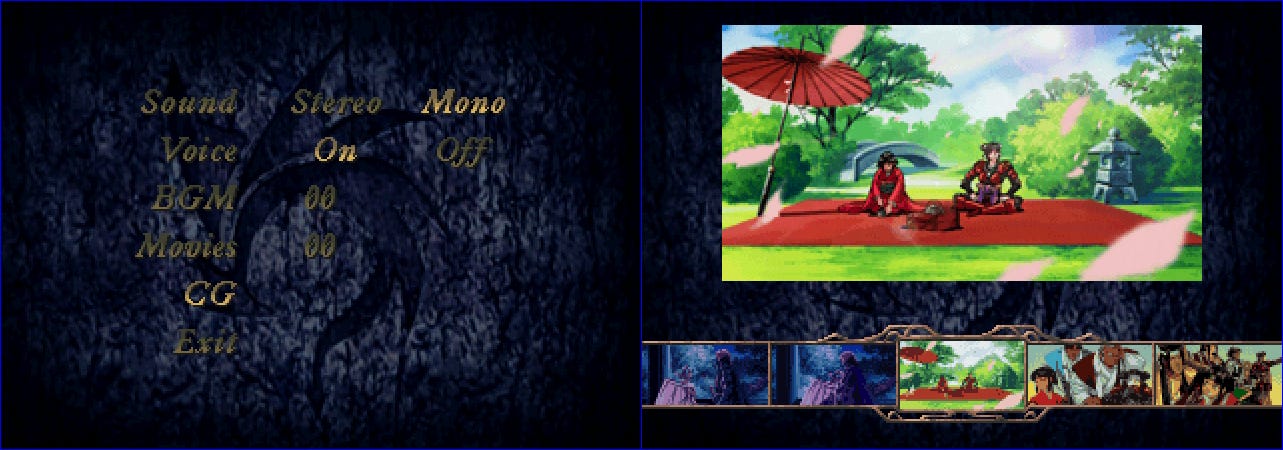
You can unlock a subset of pictures (but why would you?) by choosing a lower number for the Movies item.
The credits
On the Option screen:
Highlight Voice and press A+C+L+X.
Highlight Sound and press A+C+R+Z.
Highlight Exit and press Left+L+R.
If you got it right, the credits will start playing:
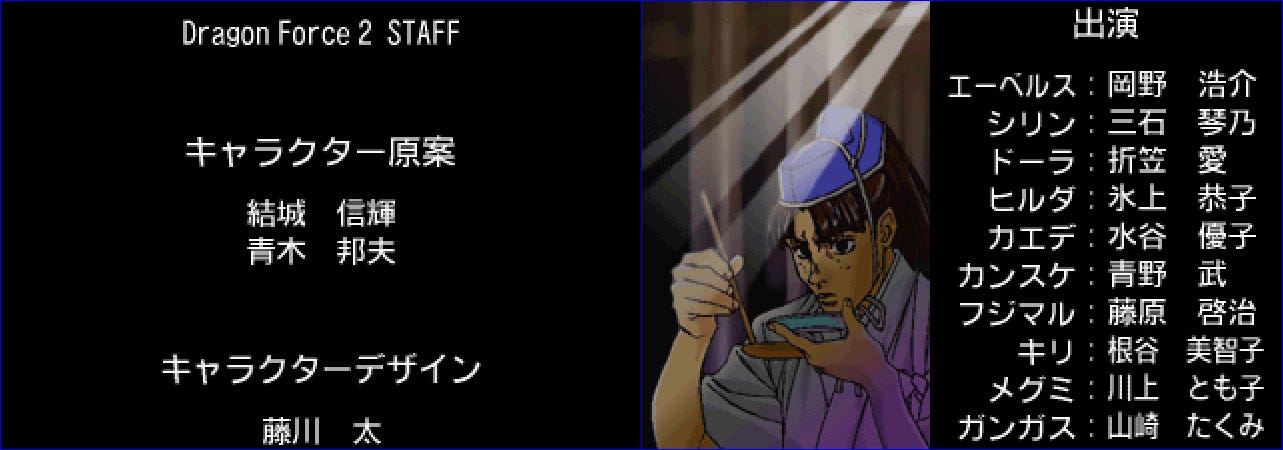
You can see the credits for a different character by changing which Movies item is selected.
Debug controls
On the Option screen:
Highlight Voice and press A+C+L+X.
Highlight Sound and press A+C+R+Z.
Highlight Exit and press Right+L+X.
During gameplay you can get various game parameters to be shown by pressing Left+L+Rand Right+L+R.
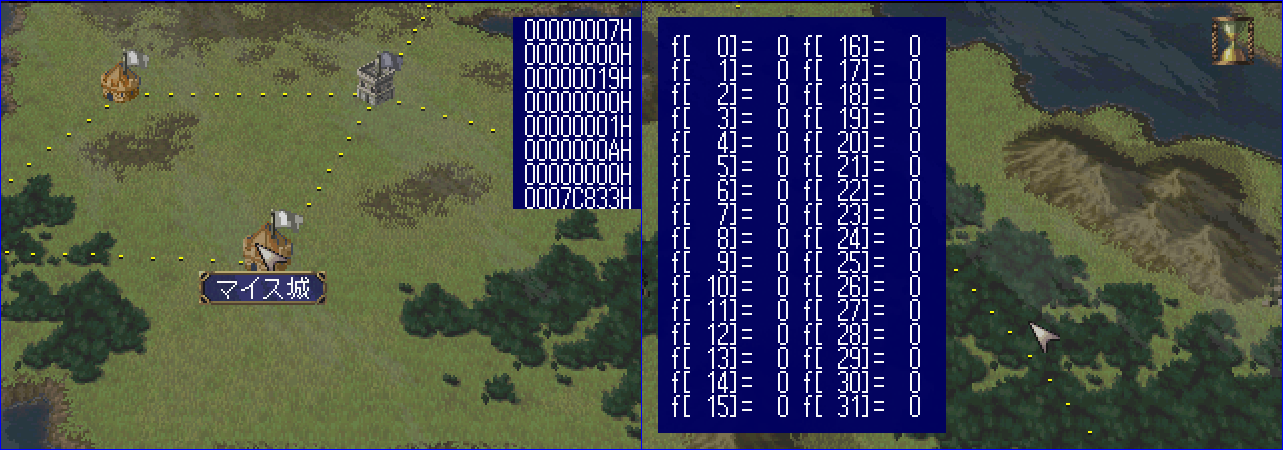
You can also return to the setup screen by pressing L+R+Z+Start (you have to hit these all at the same instant).
Technical details
What I first noticed in this game’s data were these strings:
060603d0 " ID  %4ld "
060603dc " pos %4ld "
060603e8 " fldS%4ld "
060603f4 " stat%4ld "
Tracing references to those led me to the function at 06060478. It’s got a big switch statement that makes the game display the different sets of parameters. The control variable is stored at 06082611. Manipulating that address directly makes the debug screens show up.
Just above that, however, is some logic that looks like this:
if debug_enabled != 0:
    if (
        check_held(L_BUTTON) and
        check_held(R_BUTTON) and
        check_pressed(LEFT_BUTTON)
    ):
        info_screen -= 1
        if info_screen < 0:
            info_screen = 0
The variable I’m calling debug_enabled is stored at 0604b8d2. Ghidra didn’t detect any writes to that address in a memory snapshot taken during gameplay. But it did find one in a snapshot taken while navigating the menus.
The function at 06061648 has the relevant code. It handles your input on the Option screen. That function implements the logic described above:
If you press A+C+L+X when the Voice item is highlighted, the counter at
0608c6f0increments.If you press A+C+R+Z when the Sound item is highlighted, the counter increments again.
Once the counter is at value 2, the B+X+Y; Left+L+R; and Right+L+X checks are performed.
Outro
Thanks for reading Rings of Saturn in 2025! I’ll be back with more retro game reverse engineering articles this week. Subscribe here on Substack to get the next edition as soon as it’s available: